
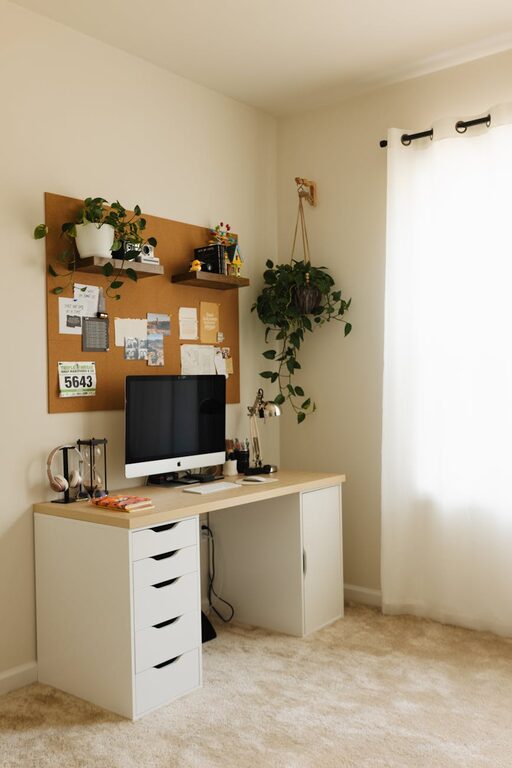
Creating a cozy and productive home office is essential for anyone working remotely or managing tasks from home. A well-designed workspace can improve concentration, reduce stress, and make daily work more enjoyable. Whether you have a small corner or an entire room, these tips will help you set up an inviting space tailored to your needs.
Choose the Right Location
Selecting the right spot for your home office is the first step. Ideally, pick a quiet area away from high-traffic zones in your home. Natural light is a major bonus, so placing your desk near a window can lift your mood and reduce eye strain. If natural light isn’t an option, invest in good-quality artificial lighting that mimics daylight.
Consider Privacy and Noise
If possible, select a room or a corner where you can close the door or create some physical separation from distractions. Noise-cancelling headphones can also be helpful if you can’t avoid busy household sounds.
Invest in Comfortable Furniture
Comfort is key in a productive workspace. Choose an ergonomic chair that supports your posture and a desk that fits your needs. Adjustable desks are great for switching between sitting and standing, which can reduce fatigue.
Optimize Your Desk Space
Keep your desk organized to avoid clutter, which can be distracting. Use desk organizers, shelves, or drawers to store supplies. Leave enough clear space to comfortably use your computer and write.
Create a Personalized Yet Uncluttered Environment
Adding personal touches like artwork, plants, or photos can make your workspace more inviting. Plants, in particular, improve air quality and promote a calming atmosphere. However, it’s important not to overcrowd your desk or room with decorations, as this can reduce focus.
Use Color Wisely
Colors can impact your mood and productivity. Soft, neutral tones tend to create a calm environment, while bright accents can energize the space. Choose colors that feel inspiring but not overwhelming.
Organize for Efficiency
An organized office helps keep your mind clear. Use cable management solutions to avoid tangled wires, and consider a filing system for paperwork. Digital organization tools like task apps and calendars can complement your physical setup.
Maintain Regular Tidying Habits
Spend a few minutes at the end of each day tidying up your workspace to start fresh the next morning. This can help maintain a feeling of order and calm.
Ensure Proper Technology Setup
Reliable technology is critical. Invest in a good quality computer, monitor, keyboard, and mouse. Consider accessories like an external webcam and microphone if you attend virtual meetings frequently.
Manage Screen Positioning
Place your monitor at eye level to avoid neck strain. If you work with multiple screens, arrange them ergonomically so you can switch views comfortably.
Incorporate Good Lighting
Proper lighting prevents eye strain and keeps you alert. Combine ambient lighting with task lighting such as desk lamps. Avoid glare on your screens by positioning light sources thoughtfully.
Add Meaningful Break Spaces
If space allows, create a small nook nearby where you can take short breaks. A cozy chair or a cushion on the floor can provide a comfortable spot to recharge during the day.
Personal Wellness Considerations
Hydration and movement also contribute to productivity. Keep a water bottle nearby and remind yourself to stand or stretch regularly. Small lifestyle habits make a big difference when working long hours from home.
—
Creating a home office that blends coziness with productivity doesn’t require a major remodel. By focusing on comfort, organization, and a well-thought-out design, you can build a space that helps you thrive daily. Explore what works best for your routine, and enjoy the benefits of a home office tailored just for you.